
An Art of DOM Clobbering 🎭
A deep dive into DOM Clobbering from first principles — how id/name attributes create references on window and document, why window properties can't be overridden but document properties can, and how to chain clobbering across multiple levels using nested iframes.

Prerequisites: HTML, a good understanding of JavaScript, and JavaScript prototypes.
What Is DOM Clobbering?
DOM clobbering is a technique where you inject HTML into a page to manipulate the DOM and ultimately change the behavior of JavaScript on that page. It’s particularly useful when XSS isn’t possible, but you can still control some HTML where the id or name attributes are allowed by the HTML filter.
The most common form uses an anchor element to overwrite a global variable that the application later uses unsafely — for example, to generate a dynamic script URL, a pattern described in PortSwigger’s guide to DOM clobbering.
Basics of DOM Clobbering
Before getting into DOM clobbering, we need to cover the id and name attributes.
id attribute: specifies an element’s unique identifier. The value must be unique within the element’s home subtree and must contain at least one character, with no space characters.
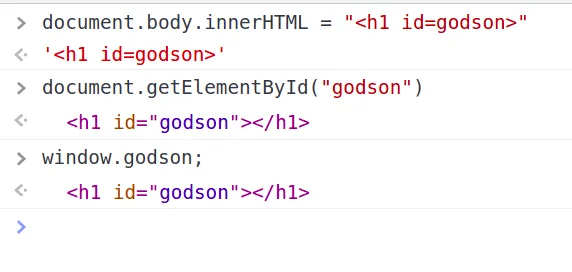
name attribute: specifies a name for an HTML element, which can be used to reference it from JavaScript. For a <form>, it’s used as a reference when data is submitted; for an <iframe>, it can be used to target a form submission.
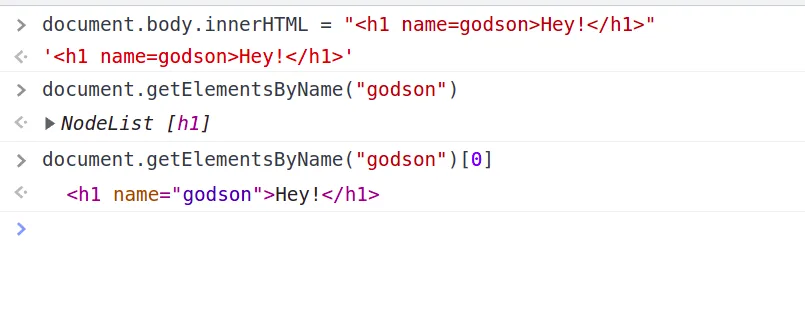
Introduction to JavaScript Objects
An object type is simply a collection of properties in the form of name/value pairs. (null and undefined are primitive types, each holding just one value.)
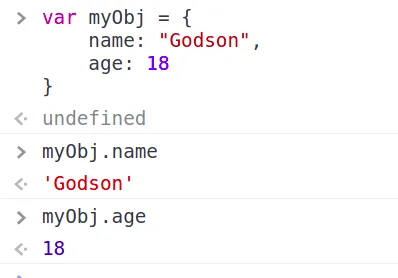
What is window in JavaScript?
Every browser supports the window object, representing the browser’s window. All global JavaScript objects, functions, and variables automatically become properties of window — global variables are its properties, global functions are its methods.
What is document in JavaScript?
document represents your web page. Accessing any element on an HTML page always starts with accessing document.
Variable Declaration in JavaScript
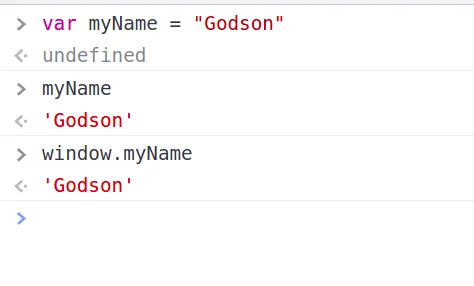
Variables can be declared with var, let, or const. Variables declared with var are stored under the window object, keyed by variable name:
Clobbering window Objects
Now that we understand id/name and JavaScript objects, let’s clobber window.
We already know that an id attribute lets us fetch a tag with document.getElementById("<id>") — but it can also be reached as window.<id>. Given <h1 id="hi">Hey!</h1>, we can call either document.getElementById("hi") or simply window.hi.
Exploitation
Hidden toString calls
Sometimes JavaScript calls toString() under the hood without us asking for it. For example, innerHTML-ing an array into body doesn’t append it as a list — the array gets converted to a string first:
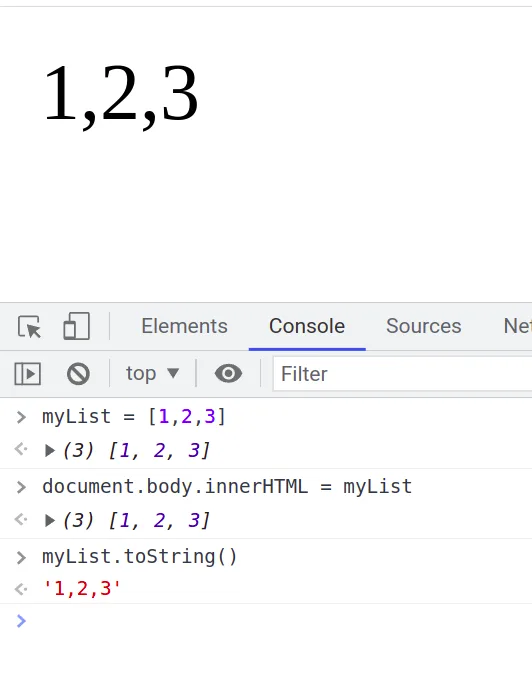
Template-string interpolation triggers the same implicit toString():
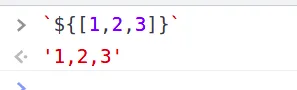
Array.toString itself calls Array.join under the hood — there are plenty of examples like this. Why does this hidden toString() call matter for us? If you already have reflected HTML injection, it doesn’t. But for DOM-based HTML injection, this hidden call is exactly what lets us exploit it.
Calling toString() on an <h1> returns [object HTMLHeadingElement] — not its inner text:
![toString() on an h1 returning [object HTMLHeadingElement]](/images/posts/inline/rFhJfGn.webp)
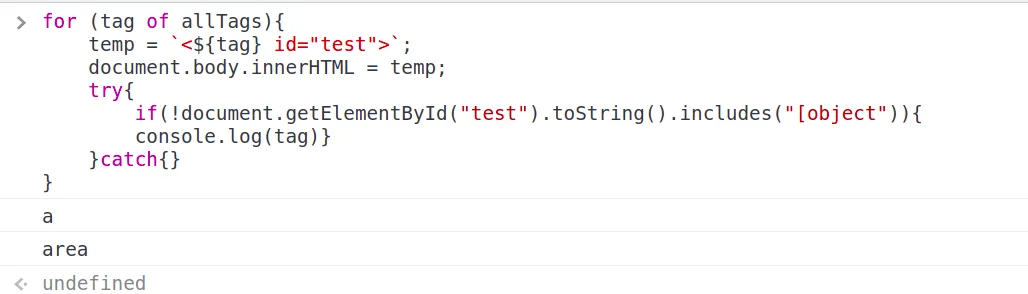
So we can’t control the result directly — but some fuzzing across tags reveals interesting exceptions:
var allTags = ["a","img", /* ... */]
for (tag of allTags){
  temp = `<${tag} id="test">`;
  document.body.innerHTML = temp;
  try{
    if(!document.getElementById("test").toString().includes("[object")){
      console.log(tag)
    }
  } catch{}
}
Running this shows a and area don’t return [object ...] from toString():
Supplying an href on those tags makes toString() return the href value itself:
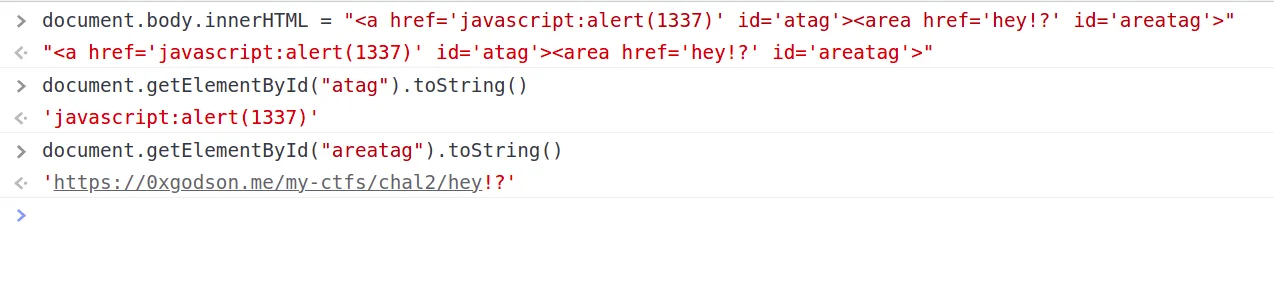
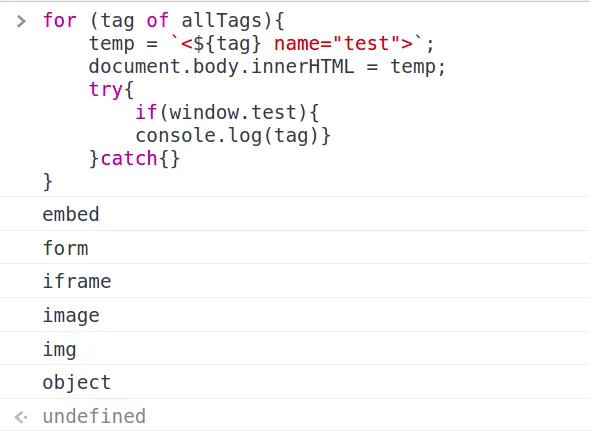
So we can control the result of toString() for a/area tags (though not fully freely). We also know every id creates a reference on window — what about name? Fuzzing again:
var allTags = ["a","img", /* ... */]
for (tag of allTags){
  temp = `<${tag} name="test">`;
  document.body.innerHTML = temp;
  try{
    if(window.test){
      console.log(tag)
    }
  } catch {}
}embed, form, iframe, image, img, and object all create a window reference via name:
Clobbering document Objects
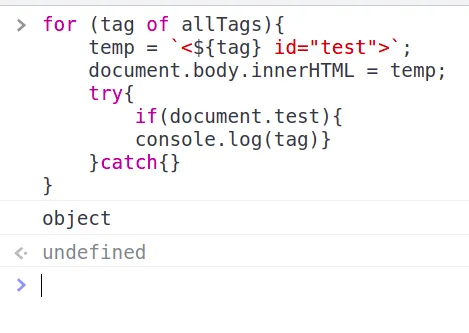
document doesn’t store arbitrary variables the way window does — it represents the page itself. Can we still clobber it? Fuzzing with id:
var allTags = ["a","img", /* ... */];
for (tag of allTags){
  temp = `<${tag} id="test">`;
  document.body.innerHTML = temp;
  try{
    if(document.test){
      console.log(tag)
    }
  } catch{}
}
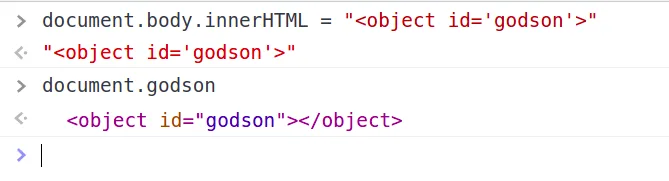
object clobbers document via id:
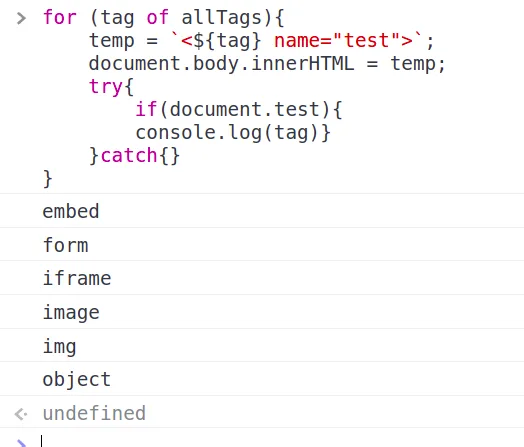
Fuzzing again with name:
var allTags = ["a","img", /* ... */]
for (tag of allTags){
  temp = `<${tag} name="test">`;
  document.body.innerHTML = temp;
  try{
    if(document.test){
      console.log(tag)
    }
  } catch{}
}embed, form, iframe, image, img, and object clobber document via name too:
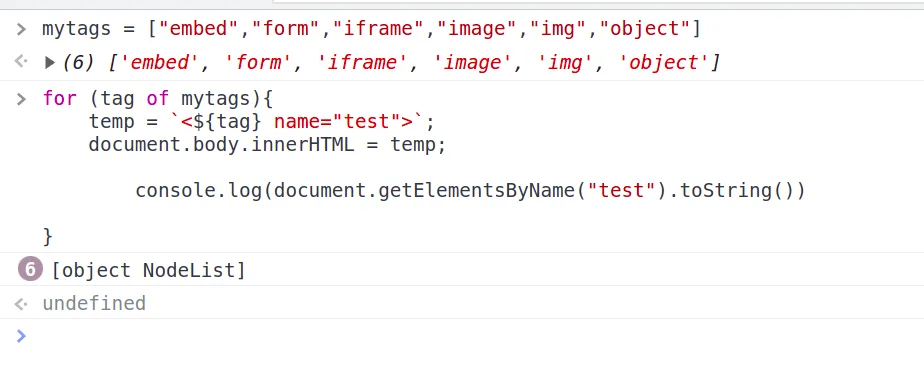
For window clobbering, a/area with href let us control the toString() result. Does the same trick work on document?
var mytags = ["embed", "form", "iframe", "image", "image", "object"];
for (tag of mytags){
  temp = `<${tag} name="test">`;
  document.body.innerHTML = temp;
  console.log(document.getElementsByName("test").toString())
}
No — every tag in mytags just returns its element type, unlike a/area, so we can’t control toString() here:
Overriding Existing Properties Using DOM Clobbering
Can we override pre-existing properties of window or document? Answer: yes for document, no for window — and understanding why requires the JavaScript prototype chain.
The Prototype Chain
The prototype chain is a big topic on its own, best covered by MDN’s guide to inheritance and the prototype chain (or, if you know Tamil, my OWASP talk on prototype pollution covers it in depth).
Take this example:
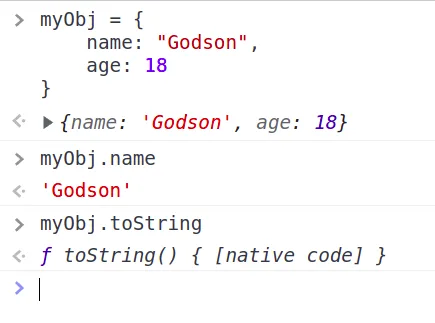
myObj has a name key, but no toString key — so where does .toString() come from? Its prototype. hasOwnProperty tells us the difference:
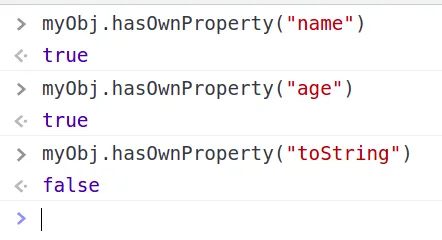
name is an own key on myObj; toString comes from Object.prototype. What if we set toString as an own key on myObj?
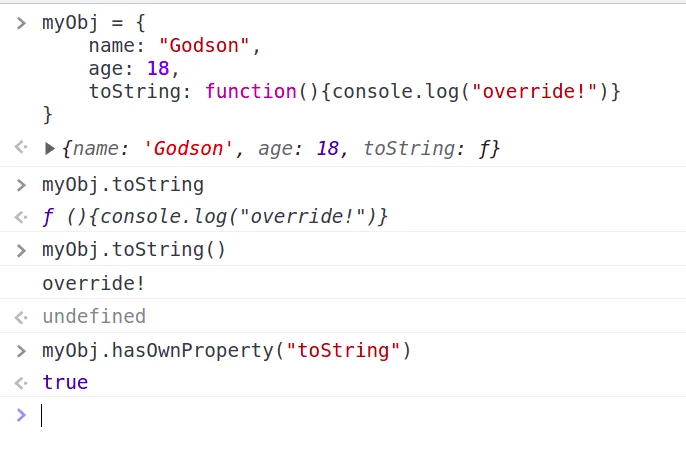
Did that overwrite Object.prototype.toString? No:
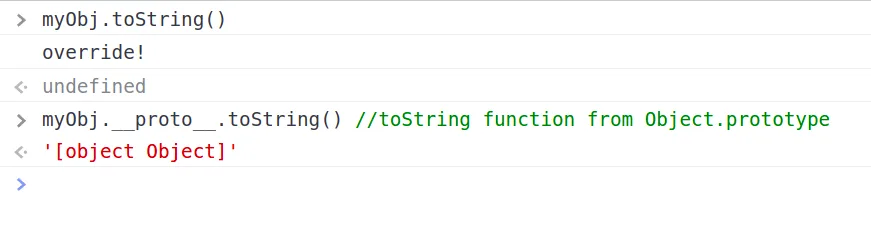
We can still reach the original toString — printing [object Object].
Edit: IvarsVids pointed out that myObj.__proto__.toString isn’t quite the right way to call this — Object.prototype.toString.call(myObj) is more correct. Thanks, IvarsVids.
Why does that distinction matter? Object, Number, and Array are built-in constructor functions, and all three have a toString on their own prototype:
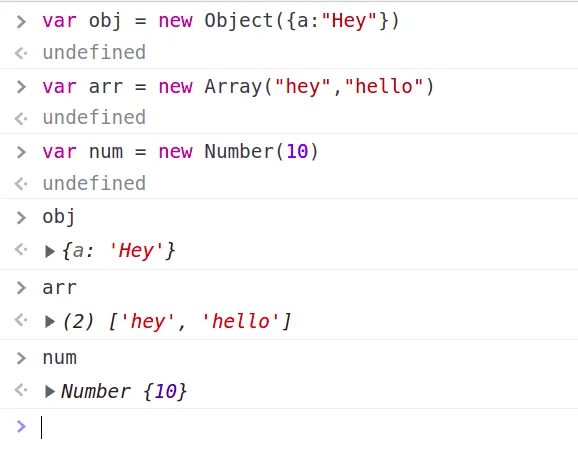
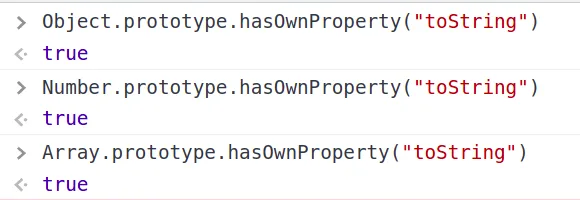
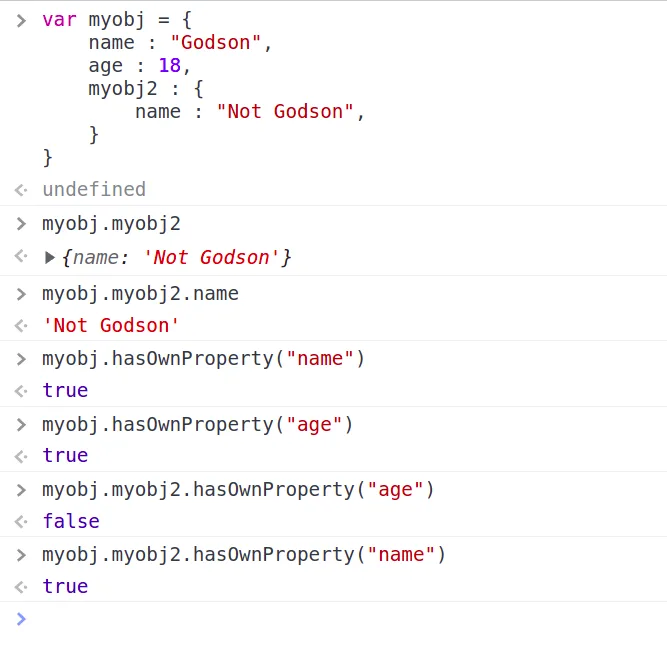
Even hasOwnProperty itself comes from Object.prototype — it’s searching within Object.prototype for a toString key. A nested example makes the chain clearer:
Same idea with arrays — includes comes from Array.prototype:
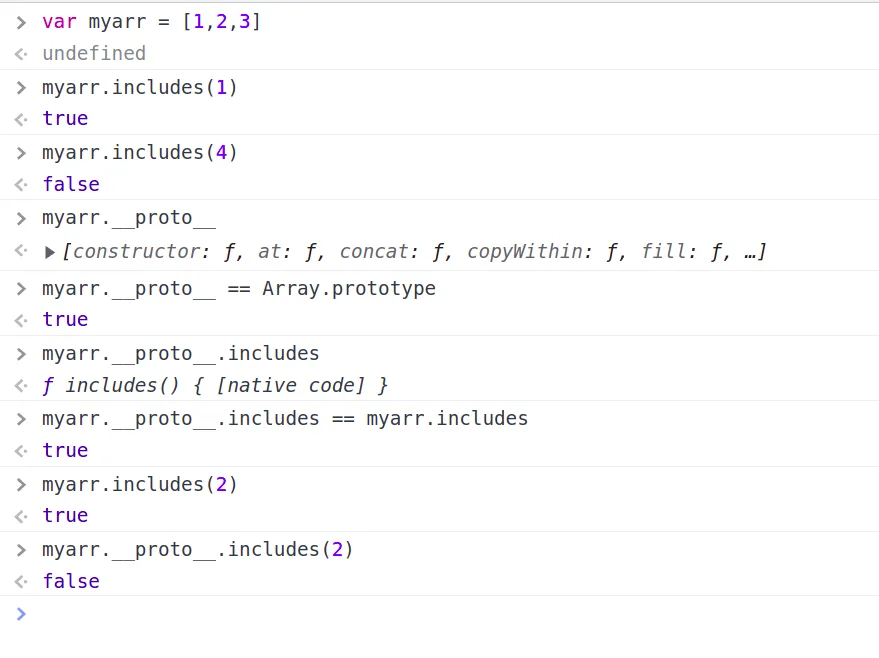
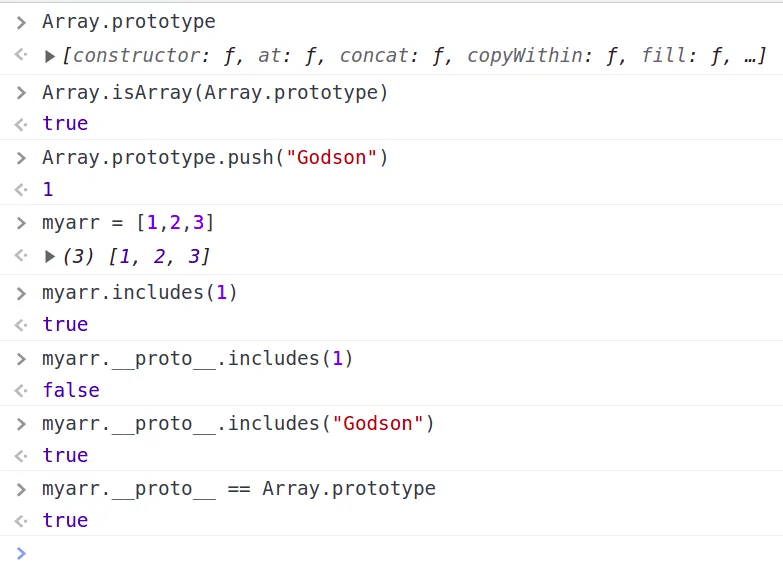
myarr.__proto__.includes is the same function as myarr.includes, but calling myarr.__proto__.includes(2) searches inside myarr.__proto__, not myarr. Adding a value directly to Array.prototype shows this clearly:
toString behaves the same way: String.prototype.toString returns a string, Array.prototype.toString stringifies the array, Object.prototype.toString returns [object <TYPE>]:
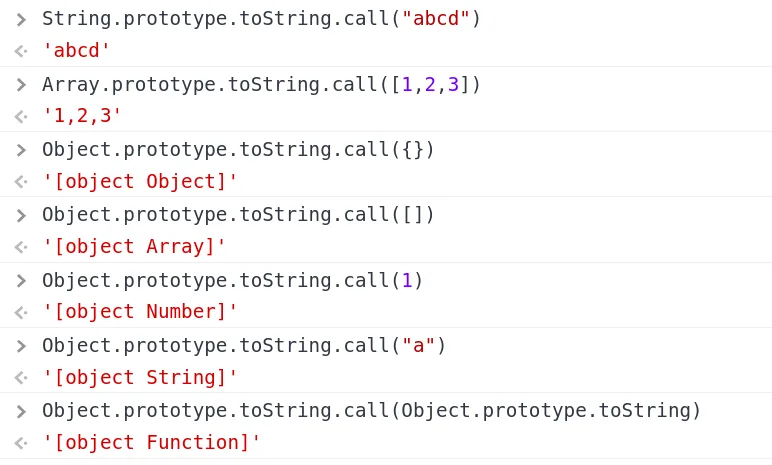
So myObj.__proto__.toString() is really Object.prototype.toString.call(myObj.__proto__), not myObj itself.
Why Can’t We Override window Properties?
To see why, we need to know where elements and variables actually live on window.
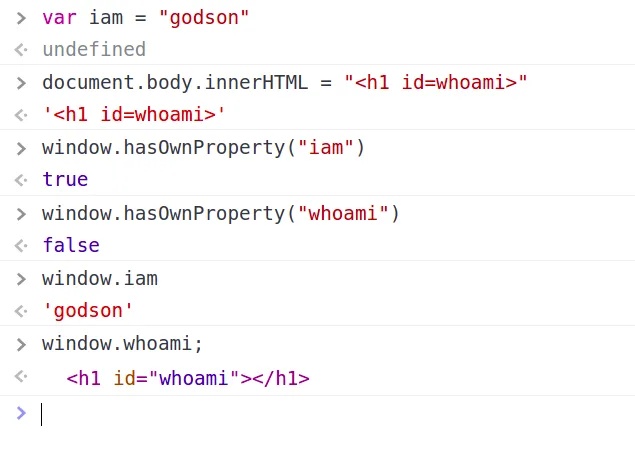
If an <h1 id="whoami"> isn’t stored directly on window, why does window.whoami return it? Because of the prototype chain — JavaScript walks it looking for a whoami key:
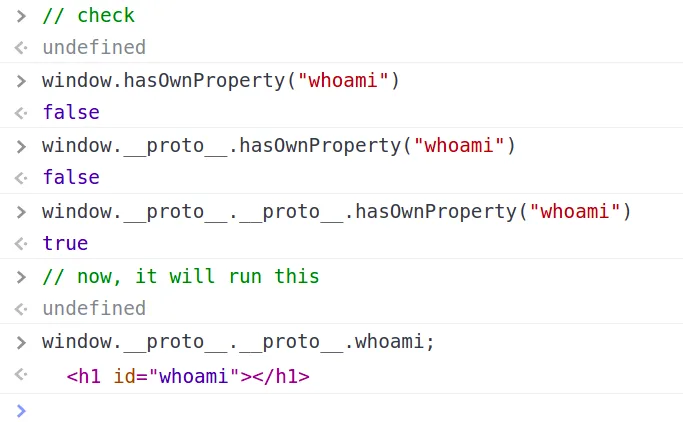
Tags with an id are stored on window’s prototype, not as window’s own properties — unlike var-declared globals, which are window’s own properties. Since a real declared variable already exists as an own property, DOM clobbering (which only reaches the prototype) can’t shadow it — though we can still read the clobbered value through the chain if the real variable was never declared:
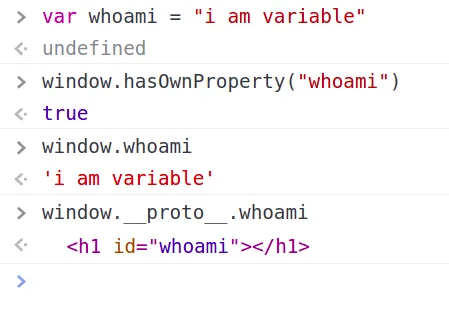
When JavaScript can’t find a key on the first __proto__ link, it keeps walking the chain until it hits null. This is exactly why we can’t override existing window properties via clobbering.
Why Can We Override document Properties?
Any of the tags found above work here — let’s use img with name. Object.getOwnPropertyNames(<Object>) lists an object’s own properties:
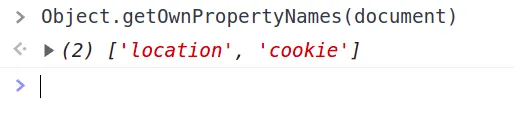
Surprisingly, only location and cookie are document’s own properties — everything else, like document.domain or document.getElementById, comes from its prototype. That means we can add domain as an own key on document: calling document.domain would then return our clobbered value instead of the real one.
Injecting img tags with name shows exactly where those values land:
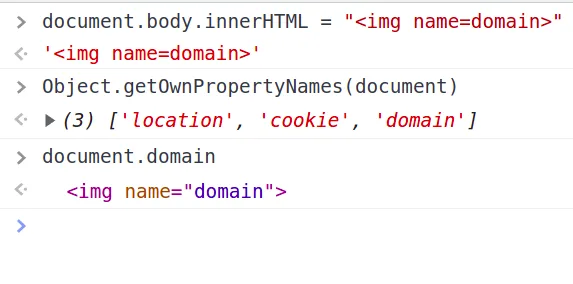
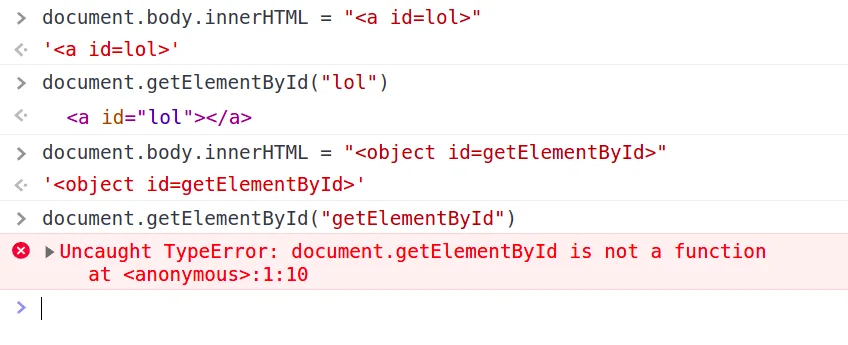
Our keys are stored directly on document as own properties — so per the prototype chain, our tag overrides the original prototype-derived property. Except for document.location, we can clobber almost anything on document. This is great for bypassing checks like if (document.domain != "..."), or breaking functionality by overwriting commonly-used properties:
Clobbering More Than One Level
So far this has all been single-property clobbering. But we can clobber multiple levels, like a nested object.
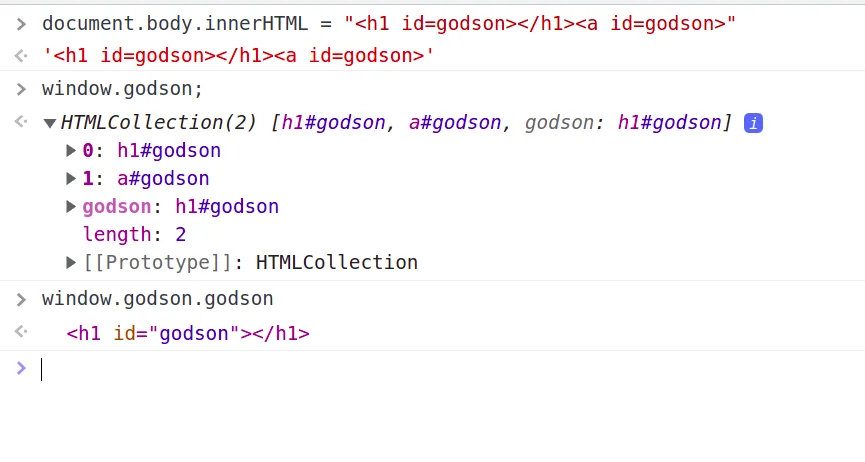
Using the same id on two different tags creates an HTMLCollection:
We can combine id and name to build more complex collections — e.g. form tags containing input/output tags, since forms are naturally nested in the DOM tree:
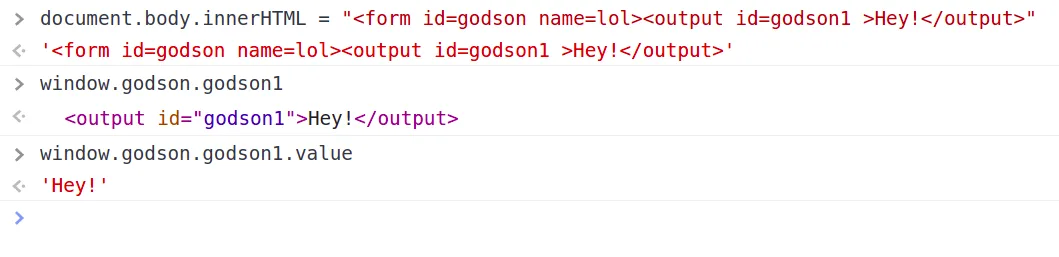
(Calling out attributes we injected ourselves this way was exploitable in old IE, but not anymore.)
Terjanq later found a trick to clobber 4 levels deep using nested <iframe>s with srcdoc:

An iframe name="a" creates window.a. Its srcdoc injects HTML containing a nested iframe with name="b", reachable as window.a.b. Inside that nested frame, another srcdoc uses two elements sharing id="c" to form an HTMLCollection, reachable as window.a.b.c. Adding a name attribute inside that gets us a fourth level: window.a.b.c.d.
Conclusion
If you want to practice this, check out my challenge at https://ctf.0xgodson.com/chal1/, and the PortSwigger labs too.
Fix
- Avoid bad code patterns — using global variables together with the logical OR operator (
||) is a common source of clobbering gadgets. - Use a well-tested library like DOMPurify, which guards against DOM-clobbering vulnerabilities.
Resources
- https://portswigger.net/research/dom-clobbering-strikes-back
- https://portswigger.net/web-security/dom-based/dom-clobbering